
TravelBoast vs MapMyMemories: Best Tool for Flight & Route Memories (2026)
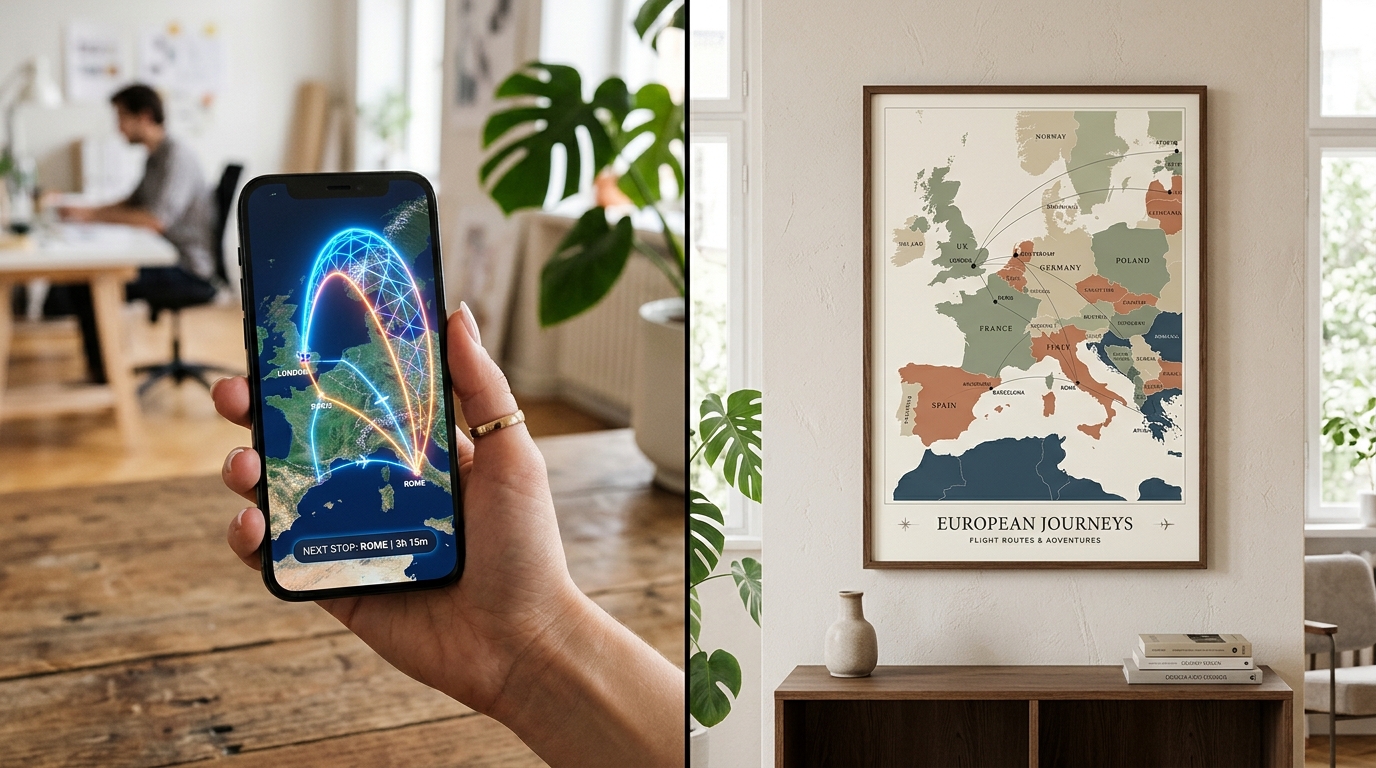
If you have ever seen an Instagram Reel or TikTok story where a tiny 3D cartoon plane or car zips along a line between cities, you have probably seen TravelBoast. It became popular because it turns a quick list of stops into a vertical social video on an iPhone in less than a minute.
However, many travelers look for a TravelBoast alternative when they want to work on a laptop, import a real GPX track, avoid in-app subscriptions for 3D vehicles, or turn their flight route memory into a high-resolution wall poster or photobook page. Here is how TravelBoast and MapMyMemories compare across video, print, routing accuracy, and price.
TravelBoast vs MapMyMemories: Quick Comparison
Here is how the two tools compare side by side:
| Feature | TravelBoast | MapMyMemories |
|---|---|---|
| Supported platforms | Mobile app only (iOS & Android) | Web browser on Desktop, Tablet & Mobile (no install) |
| Animated route video (MP4) | Vertical social video with 3D cartoon icons | Clean cartographic MP4 route animation |
| High-res printable poster export (300/600 DPI) | No | Up to 600 DPI (JPG, PNG, PDF) |
| Route geometry | Manual drag lines & simplified paths | Automatic road routing, flight arcs, train & ferry lines |
| GPX / KML / KMZ GPS import | No | GPX / KML / KMZ |
| Multi-page PDF trip brochure | No | Yes |
| Pricing | Freemium (in-app purchases & weekly/annual Pro plans) | 100% Free (all exports, video & 600 DPI included) |
What TravelBoast Does Best
TravelBoast is a mobile app built specifically for short-form social media videos. You tap your starting city and destination on a phone screen, pick a little vehicle icon, and export a video clip for Instagram Stories, Reels, or TikTok.
TravelBoast Strengths
For quick social clips on a phone, TravelBoast has clear advantages:
- Playful 3D vehicle models (planes, cars, campers, boats, and novelty icons) that animate along the line.
- Vertical 9:16 aspect ratio presets tailored for Instagram Reels and TikTok.
- Country flag counters and distance overlays at the end of the animation.
- Fast touch interface designed for quick phone edits while traveling.
TravelBoast Limitations
When you want more than a 15-second vertical clip, several limits show up quickly:
- No desktop or web editor: You have to drag tiny route points with your finger on a phone screen.
- No high-resolution print export: You cannot export a 300 DPI or 600 DPI poster for framing or printing in a photobook.
- No GPX or KML file import: You cannot load recorded hiking, cycling, driving, or flight logs.
- Paywalls on icons and features: Many transport models, map styles, and options require paid in-app unlocks or a recurring subscription.
What MapMyMemories Does Best
MapMyMemories is a browser-based travel map studio that works on both desktop and mobile without installing an app. It is designed to turn a flight route memory or multi-stop road trip into both an animated route video and a print-ready keepsake.
MapMyMemories Strengths
Travelers who switch to MapMyMemories usually do so for five practical reasons:
- Both animated video AND 300/600 DPI print exports: Download an MP4 route animation to share online, plus a crisp 600 DPI poster or PDF brochure to print and frame.
- Automatic real-world routing: Flights curve naturally along geodesic arcs, while road trips snap to real highways without dragging intermediate points by hand.
- GPX, KML, and KMZ support: Upload exact GPS tracks from Garmin, Strava, Komoot, or Google My Maps.
- Editorial map aesthetics: Choose from Vintage, Minimal, Dark, Terrain, and Blueprint cartographic styles with custom titles, dates, and typography.
- 100% free with zero paywalls: Every map style, video export, PDF brochure, and 600 DPI download is completely free.
Head-to-Head: TravelBoast vs MapMyMemories
1. Animated Route Videos
TravelBoast focuses on cartoon 3D vehicles moving over a simplified map background, which fits casual TikTok or Instagram Stories. MapMyMemories generates a clean, editorial route animation where the path draws smoothly across your chosen cartographic style, making it great for travel vlogs, YouTube intros, family trip recaps, and agency presentations.
2. Printable Maps and Flight Route Memories
A phone screenshot of a video app looks pixelated as soon as you print it larger than a postcard. MapMyMemories is built from the ground up for print preservation: it renders maps at 300 DPI and 600 DPI with custom titles, subtitles, legend badges, and photo pins so you can frame your honeymoon, gap year, or road trip on a wall.
3. Multi-Stop Routing and GPX Imports
In TravelBoast, curving a road route to follow a coastline requires dragging points manually on a small phone screen. MapMyMemories calculates real road geometry automatically when you select Car, draws smooth flight arcs when you select Plane, and lets you upload GPX, KML, or KMZ files for exact GPS trails.
4. Desktop Browser vs Mobile App
TravelBoast requires installing an iOS or Android app and working on a phone screen. MapMyMemories runs directly in any web browser on Windows, Mac, iPad, Android, or iPhone without creating an account or installing software.
5. Cost and Subscriptions
TravelBoast uses a freemium model with recurring weekly or yearly subscriptions to unlock extra vehicles and features. MapMyMemories is 100% free for all users, with no locked transport modes, no watermarks, and free 300/600 DPI exports.
Verdict: Which One Should You Pick?
Both tools solve different parts of sharing a trip:
Choose TravelBoast if: You only want a quick vertical video on your phone with 3D cartoon planes or cars for an Instagram Story.
Choose MapMyMemories if: You want a free browser tool that builds accurate flight and road routes, imports GPX/KML tracks, exports clean MP4 route animations, and downloads 300 or 600 DPI printable posters and PDF brochures.
Because MapMyMemories runs in the browser for free without registration, you can test your route in 60 seconds and export both the animated video and the high-resolution print file from the same project.
Frequently Asked Questions
Can I use TravelBoast on a computer or web browser?
No, TravelBoast is only available as a mobile app for iOS and Android. If you want to build an animated or printable travel route map in your desktop or laptop browser, MapMyMemories runs directly on the web with no download required.
Does MapMyMemories export animated route videos like TravelBoast?
Yes. MapMyMemories includes a built-in video exporter that animates your itinerary stop by stop across the map and downloads a clean MP4 video file for free, alongside 300 DPI and 600 DPI print exports.
Which tool is better for printing a flight route memory or road trip poster?
MapMyMemories is built specifically for high-resolution printing. While TravelBoast only exports low-resolution mobile videos, MapMyMemories exports 300 DPI and 600 DPI JPG, PNG, and PDF files designed for large wall frames and photobooks.
Ready to turn your flight routes and road trips into an animated video or a 600 DPI poster? Open the free MapMyMemories studio below and build your map in seconds.
Need a print-ready route map?
Use the travel map generator to import GPX/KML files, style your route, and export high-resolution JPG or PDF maps.
Open the Map GeneratorYou might also like


Build Your Route Video & 600 DPI Print Map for Free
No app install, no watermarks, and no subscriptions. Add your stops or upload a GPX file and download your map or video right in your browser.
Try MapMyMemories Free